Running LLMs on a Raspberry Pi 5: What's Actually Possible
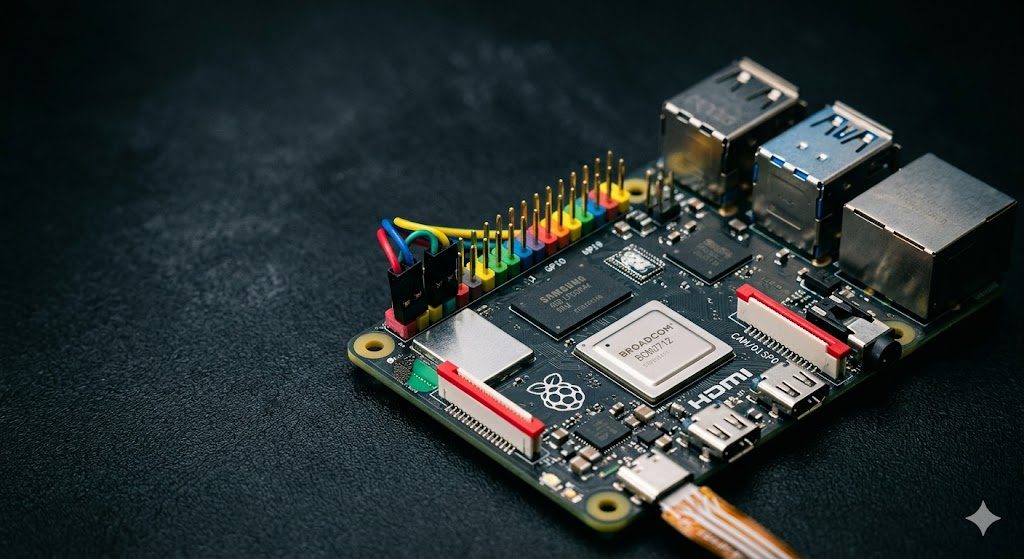
The Raspberry Pi 5 with 8GB RAM is a surprisingly capable platform for local LLM inference. While it can't match GPU speeds, it runs 3B models at 3-6 tokens/second — useful for embedded applications, home automation, and offline assistants. Here's what's realistically achievable and how to optimize performance.
Installation on Raspberry Pi 5
Ollama has ARM64 support and installs on Pi 5 with the standard Linux install script. Build llama.cpp from source for maximum performance: enable NEON optimizations with cmake -B build -DGGML_NATIVE=ON. The Pi 5's Cortex-A76 cores support NEON SIMD and significantly outperform the Pi 4 for matrix operations. Use a fast SD card (A2 rating) or NVMe via USB3 for model storage to reduce load times.
Best Models for Pi 5
Phi-3.5 Mini Q4_K_M (2.2GB): best quality in the Pi-compatible size range. Gemma 2 2B Q4_K_M (1.5GB): excellent for Q&A and classification. Qwen2.5 0.5B Q8_0 (0.5GB): barely fits in available memory after OS overhead, useful for ultra-fast classification. All models should use the smallest viable quantization — on CPU, the memory bandwidth savings from smaller models matter more than on GPU.
Practical Applications
Pi 5 LLM use cases that work well: voice-activated home automation controller (Whisper + 3B model), local document classifier for smart filing systems, offline chatbot for kiosk applications, nightly batch processing of log files or documents, and embedded AI in maker projects. For these applications, 4-5 tokens/second is entirely acceptable since the interaction doesn't need to feel real-time.


Comments
Post a Comment